Can the iPad replace desktop computing?
Published November 25, 2013
I’ve always managed to get a lot of use out of my iPad.
There are two main dilemmas around Apple’s tablet device (aside from price, etc) with one being “What would I use it for?” and the other being “It’s only good for consuming, not creating.”
My iPad has always been kept busy, but I would admit that it’s mostly for consumption. Watching TV, videos, listening to music, browsing the web, playing games, the usual kind of thing. I upgraded to the new iPad Air, and wanted to try it out and see how much of my day to day desktop activities it could replace.
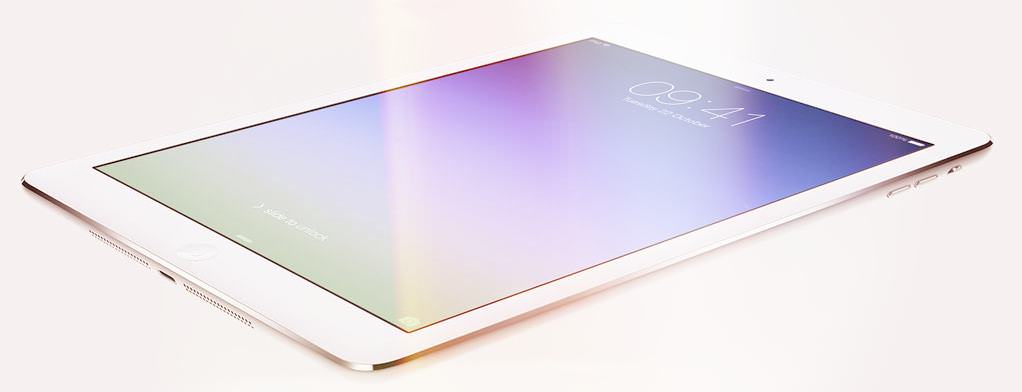
Even better than the real thing
There were a few things that actually worked a lot better on the iPad. I’ve still not yet found a decent email client on the Mac. The best I’ve got is Airmail, which is useful but takes an absolute age to start up. The basic email client on the iPad just works, it’s easy to navigate around, and easy to process through the incoming messages. The only problem I had was knowing what the icons in the corner did, and I may have accidentally archived some emails without meaning to. Otherwise, using email is headache-free on the iPad, whereas it stresses me out on the desktop.
The other app that works better on iOS is Things. I’ve possibly tried every to-do app under the sun, and never had one stick. Things (stupid name) has come the closest, and with the app right there on the homepage of my iPad, it’s easy to open up the to-do list straight away. That’s where the other apps fail, they just get forgotten about in the background. Things for iOS, quick to start and easy to open, can be right there in your face when you need it to be.
Room for improvement
Other processes are not quite an improvement but aren’t that much harder either. Tweetbot have updated their app for the iPhone and it’s incredible. The iPad version has yet to be updated, but if it follows, that would probably make it my Twitter client of choice across all surfaces.
Admin for Sidepodcast is easy enough, writing posts, writing anything, is easy with a bluetooth keyboard. Using the onscreen keyboard is an absolute nightmare, so I avoid that wherever possible.
Things that aren’t compatible with iOS living at the moment include serious picture manipulation. The Wordpress app allows for easy blogging, although is missing some key features like the Copy a Post template, and decent image placement tools. Getting an image is okay if you have the completed picture to start with. Just save to the photostream and then import. If you want to edit a photo, then there’s a lot missing. All the photo editing apps are stacked with filters and borders and other fun things to do and share. If you want to resize a picture to specific pixels, there are almost no options to do that.
Photoshop does it, but it’s a faff to achieve, and the resulting exported picture is lower quality than what you would get on a desktop. Power is obviously an issue, and something that will improve in the future, but for now, the device is just not right for image processing.
Small but powerful
We don’t have the tools to podcast via the tablet at the moment, but I was surprised at how conceivable it would be. With just a small gadget added on, you can plug the microphones in, record to Garageband and edit easily enough. Exporting is an issue, as is uploading to a server, although our Sidepodcast files are hosted on Soundcloud at the moment which would make life easier. You wouldn’t want to edit an hour long show on the iPad but for something like F1Minute, it could be very useful.
The issue that arises from that is, I can write an episode via any number of iOS text editors, and let’s say I could record as well. But I can’t see the text and the audio at the same time, which is quite important when you’re trying to squeeze your words into just a minute. The single-task element on the iPad can be very useful for some things, but it does take the edge off the productivity for other projects.
While I was working through the things the iPad does well and the things the Mac does better, I read this CNET post by Scott Stein which was essentially doing the same thing. Scott comes to the same conclusion as I did, and puts it better than I ever could:
I say no, you can’t replace a computer with an iPad, yet I know a lot of people who do and don’t look back. If I had to choose just one, I’d go with a MacBook Air. But, to tell the truth, I use my iPad far more on a daily basis than my laptop. The computer-as-a-tool is a security blanket and necessary piece of tech, but the iPad is the place where I’d rather be more often.
If you’re online and using cloud storage and don’t mind not having more-complex access to your files, maybe an iPad would work for you. I still think it’s a big compromise as your main computer, but it’s a phenomenal secondary computer.
